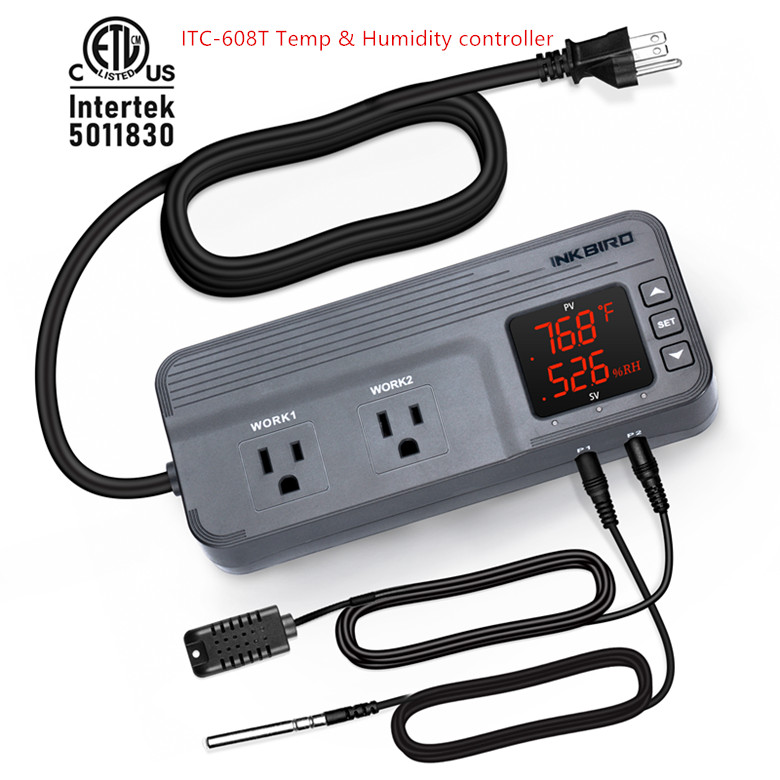
Sht2000 Temperature Humidity Hygrometer Thermostat
Ac110v-220v Sensor Controller
USD $24.99
Condition : New
Free Shipping
{{variant_type_name}} :

Notify me when the price drops
We will email you if we find a lower price on this product!
Specification: Product Name: Temperature and Humidity Controller Product Model: SHT2000Supply voltage: AC 110~220V Power supply frequency: 50/60HzTemperature range: -20~60°C Humidity range: 0%~100%RHTemperature measurement accuracy: 0.3 °C Humidity measurement accuracy: 3%Output Control: Relay Output Output Power: MAX 10ASetting method: Start value < stop value (program automatically determines working mode is heating/humidifying mode)Setting method: Start value > stop value (the program automatically determines the working mode is cooling/dehumidifying mode)Heating/cooling mode setting:Setting mode: setting (starting temperature): Press and hold the ▲ button to start the temperature flashing. Use ▲▼ key to set the starting temperature value.Setting (stop temperature): Press and hold the ▼ button to stop the temperature flashing. Use ▲▼ to set the stop temperature value.Heating use case: control the water heater, heat to 65 ° C to stop, the temperature drops back to 50 ° C and start heating againStep 1: heating mode, starting temperature <stop temperatureStep 2: Press and hold the ▲ button to start the temperature flashing. Use ▲▼ to set the starting temperature to 50 °C.Step 3: Press and hold the ▼ button to stop the temperature flashing. Set the stop temperature to 65 °C with ▲▼ keys, and the setting is completed!Refrigeration use case: use in the farm, the fan is ventilated to 26 ° C to stop, the temperature is raised to 30 ° C and the ventilation is started again.Step 1: cooling mode, starting temperature > stop temperatureStep 2: Press and hold the ▲ button to start the temperature flashing. Use ▲▼ to set the starting temperature to 30 °C.Step 3: Press and hold the ▼ button to stop the temperature flashing. Use ▲▼ to set the stop temperature to 26°C. The setting is completed!Humidification/Dehumidification Mode Settings:Setting (start humidity): Press and hold △ key to start the humidity value flashing. Set the humidity value by △ ▽ key. Set [Stop Humidity]: Press and hold △ key to stop the humidity value flashing, and set the humidity to stop by △ ▽ key value.Humidification example: fresh supermarket humidification, control humidifier 50% RH began to humidify, humidified to 80% RH to stop humidification.Setup steps:Step 1: Press and hold the △ button for 3 seconds to start the humidity value flashing, and set the starting humidity value to 50% RH.Step 2: long press the ▽ button for 3 seconds to stop the humidity value flashing, set the value to 80% RH, the setting is completed, the button does not operate for 5 seconds, and automatically returns to the normal display state.Dehumidification example: workshop control exhaust dehumidification system, humidity 70% RH starts dehumidification, humidity 40% RH stops dehumidificationSetup steps:Step 1: Press and hold the △ button for 3 seconds to start the humidity value flashing, and set the starting humidity value to 40% RH.Step 2: Press and hold the ▽ button for 3 seconds to stop the humidity value flashing, set the value to 70% RH, the setting is completed, the button does not operate for 5 seconds, and automatically returns to the normal display state.
Package Included: 1 x AC 110V-220V SHT2000 Temperature Humidity Hygrometer Controller

Price type
IN STOCK
OUT STOCK







 .
.
